Crypto.com
Case Study
Derivatives Trading
Project Duration
3 weeks
Areas
Product Design
Company
Crypto.com
Year
2022
The Problem
Most users trading derivatives struggled with three things:
- Too many confusing order types (Limit, Market, Stop-loss, Take-profit, FOK, GTC, etc.)
- Lack of clarity around risk (liquidation price, leverage, margin, mark price)
- Slow workflows when opening, managing, or closing positions during high-volatility markets
The existing mobile experience had high friction and was mainly designed for web, then scaled down.
My Role
- Product Designer, Crypto.com Exchange
- Designed order placement flows, leverage adjustment, post-only/time-in-force logic, and position management
- Collaborated with trading PMs, backend engineers, and compliance to ensure accuracy of financial interactions
- Created Figma prototypes and UI specs for development
Key Design Decisions
1. Unified Order Placement (Make trading faster & clearer)
- Introduced a segmented layout for 6 trading types: Limit, Market, Stop-loss Limit, Stop-loss Market, Take-profit Limit, Take-profit Market.
- Simplified input area to two main values: Quantity and Price (or Trigger Price).
- Auto-filled values from order book and active positions to reduce manual typing.

2. Post-Only & Time-in-Force Logic (Reduce order rejections)
- Post-only cannot be active with FOK/IOC → UI auto-disables conflicting states.
- Tooltip added: “Post-only orders never consume liquidity and only pay maker fees”.
- Helped reduce user confusion and unintended taker fees.

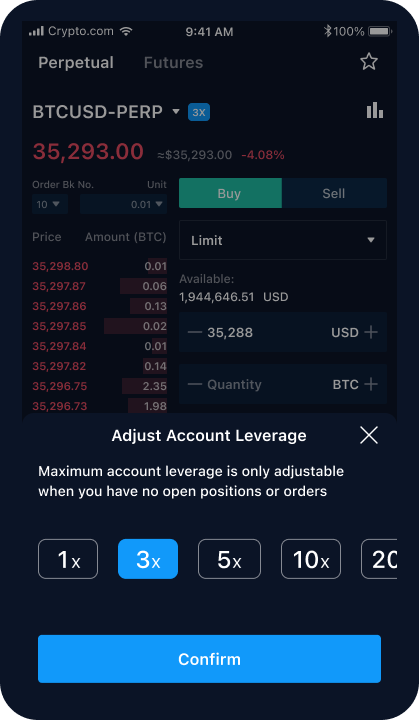
3. Leverage Adjustment with Safeguards
- Leverage slider placed in a bottom sheet modal.
- Can only be changed if no open positions (matching backend rules).
- Added real-time liquidation price preview + warning for high-risk settings.
4. Making Advanced Terms Understandable (Without Leaving the Screen)
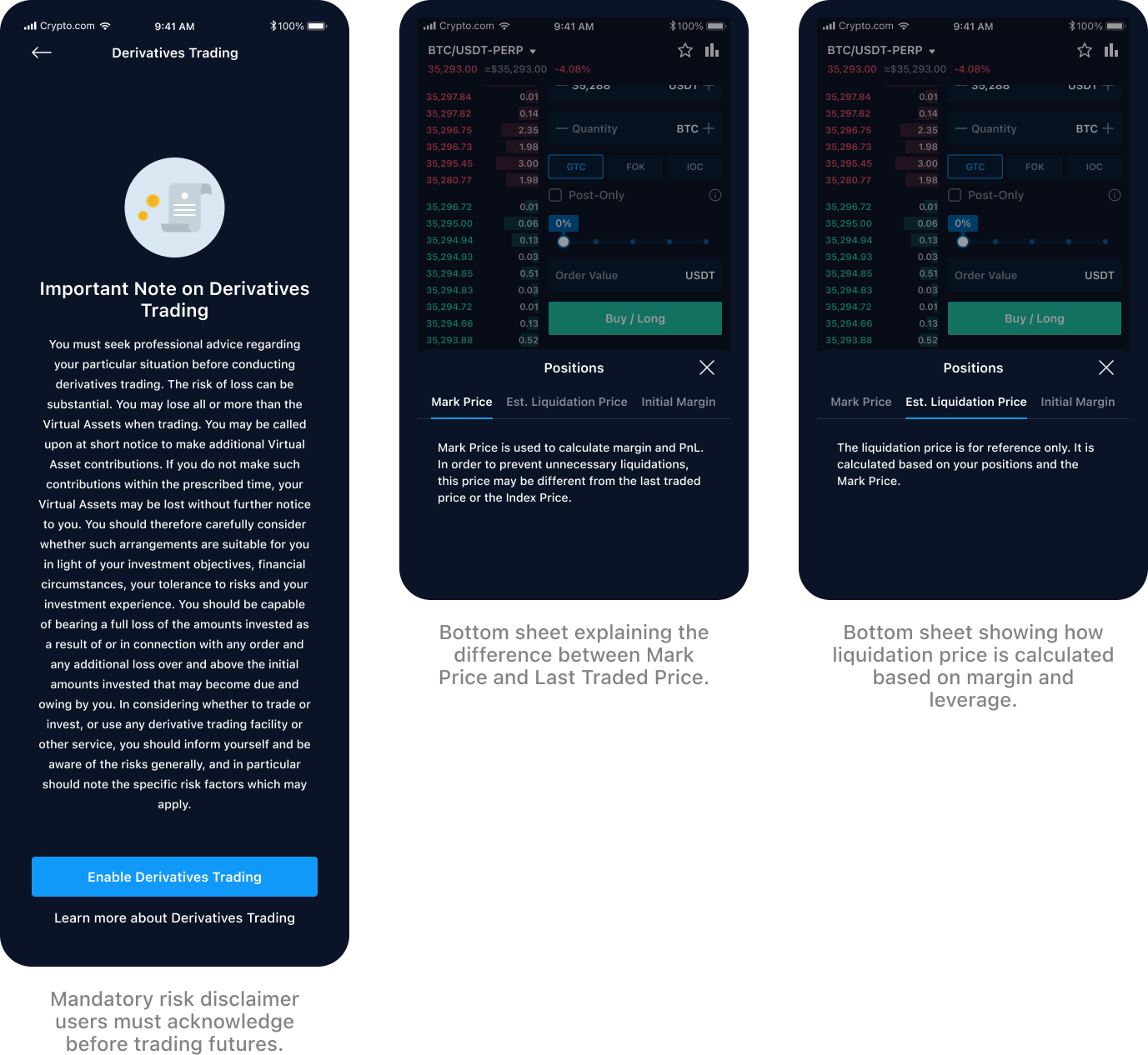
- Info icons beside Mark Price, Liquidation Price, Margin, PnL.
- Tapping opens a concise sheet explaining the logic, using simple language.
- Based on real user questions and repeated support tickets.
5. Position Management — Close or Modify in 1 Tap
- Open position card shows: entry price, PnL, liquidation price, amount, margin.
- Swipe or tap → Limit Close or Market Close.
- Removed extra confirmation layers to make liquidation exit faster.

Outcome / Impact
- Reduced average time to place an order by ~20% in internal testing
- Fewer rejected orders due to conflicting Time-in-Force/Post-Only selections
- Improved trader confidence with clearer feedback on leverage & liquidation risk
- Helped onboard spot traders into derivatives with less friction